CloudWatch Logs
Amazon CloudWatch Logs Basics
ℹ️ Information: CloudWatch Logs is a centralized service that enables you to monitor, store, and access log files from various AWS resources and applications. It provides a unified view of your system’s operational health through log data.
Follow these steps to explore CloudWatch Logs functionality:
-
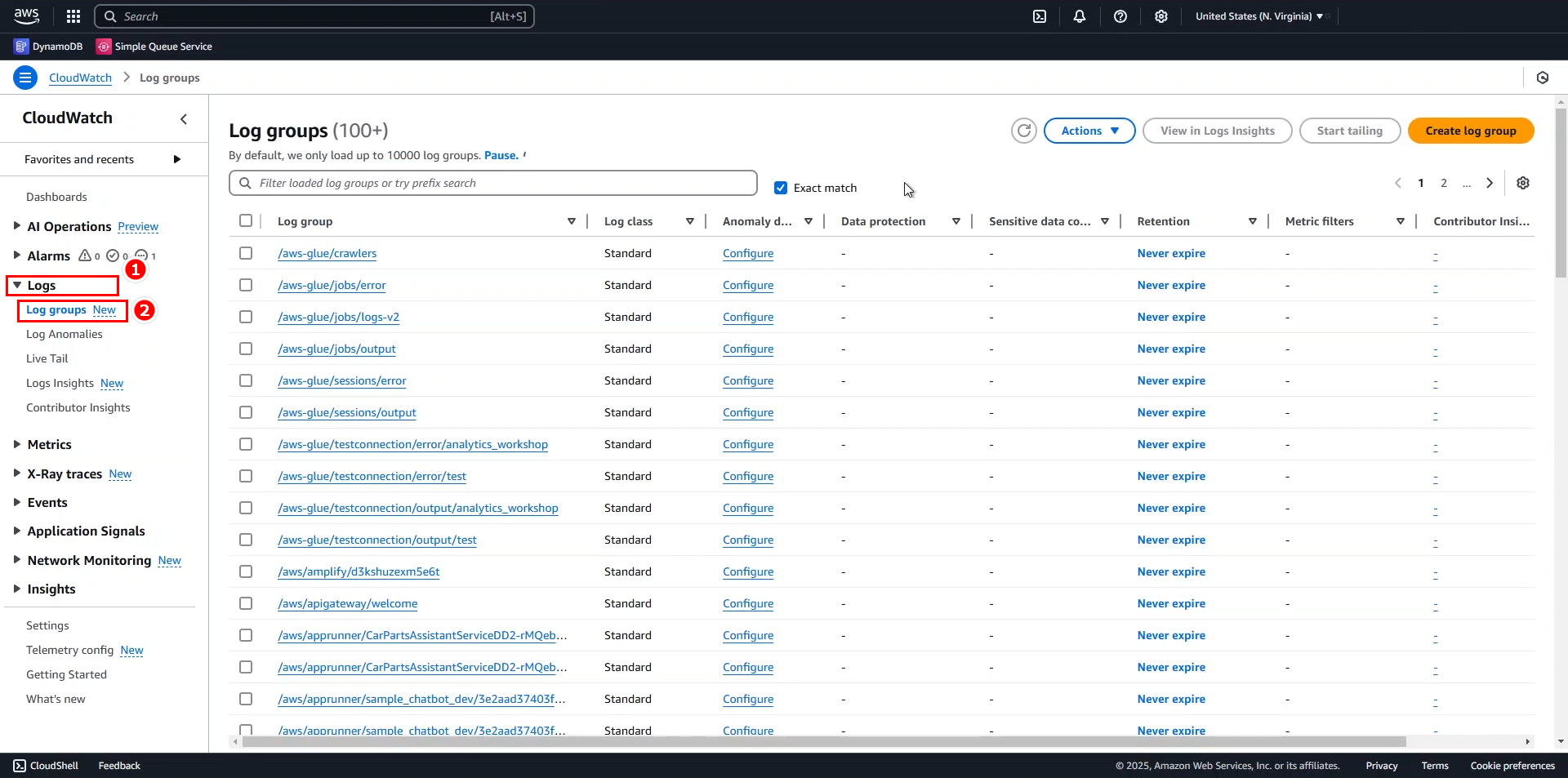
On the main CloudWatch console:
- Expand the Logs menu on the left navigation pane.
- Select Log groups.
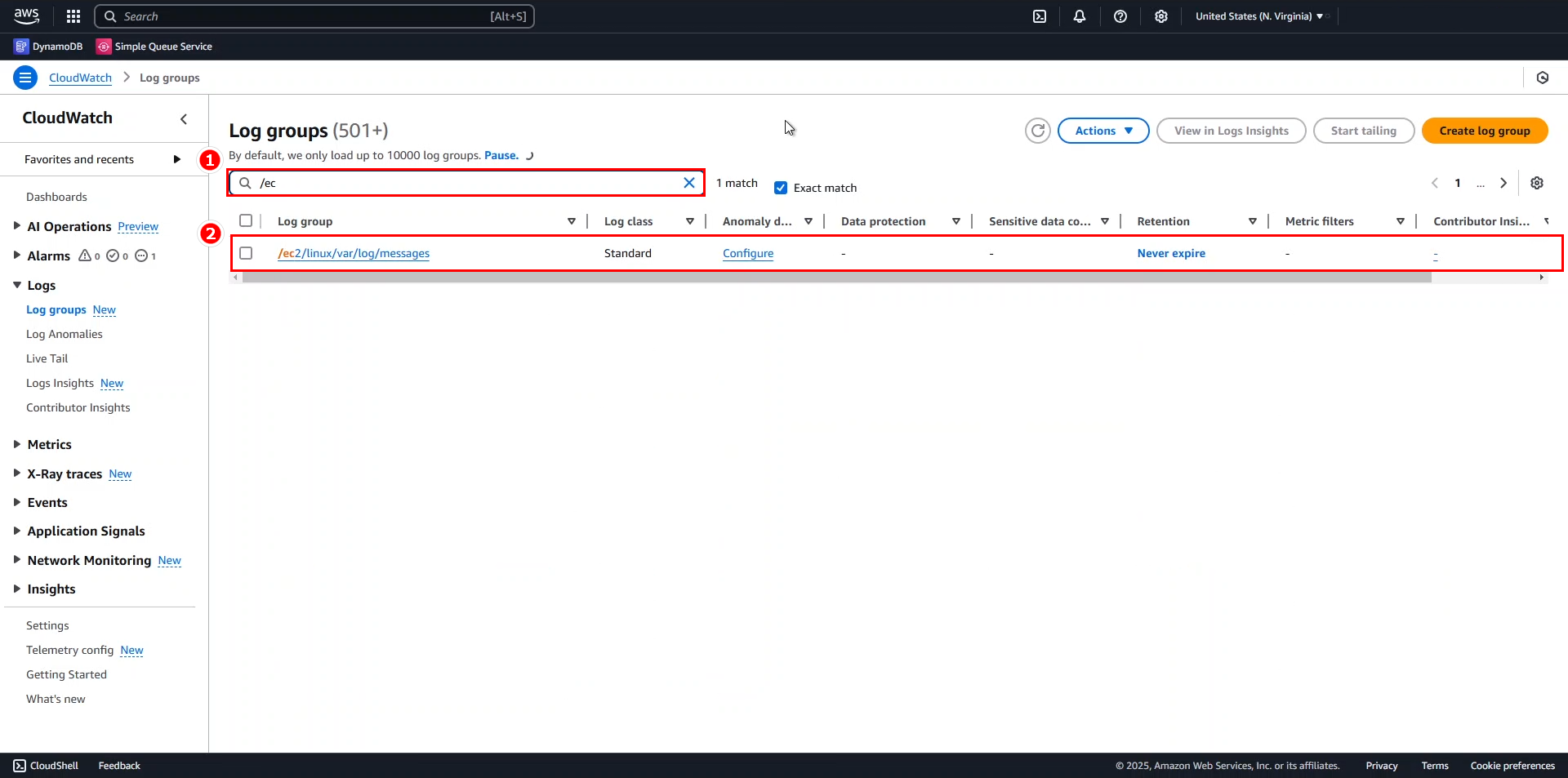
- In the search field, enter
/ec2and select the /ec2/linux/var/log/messages log group.
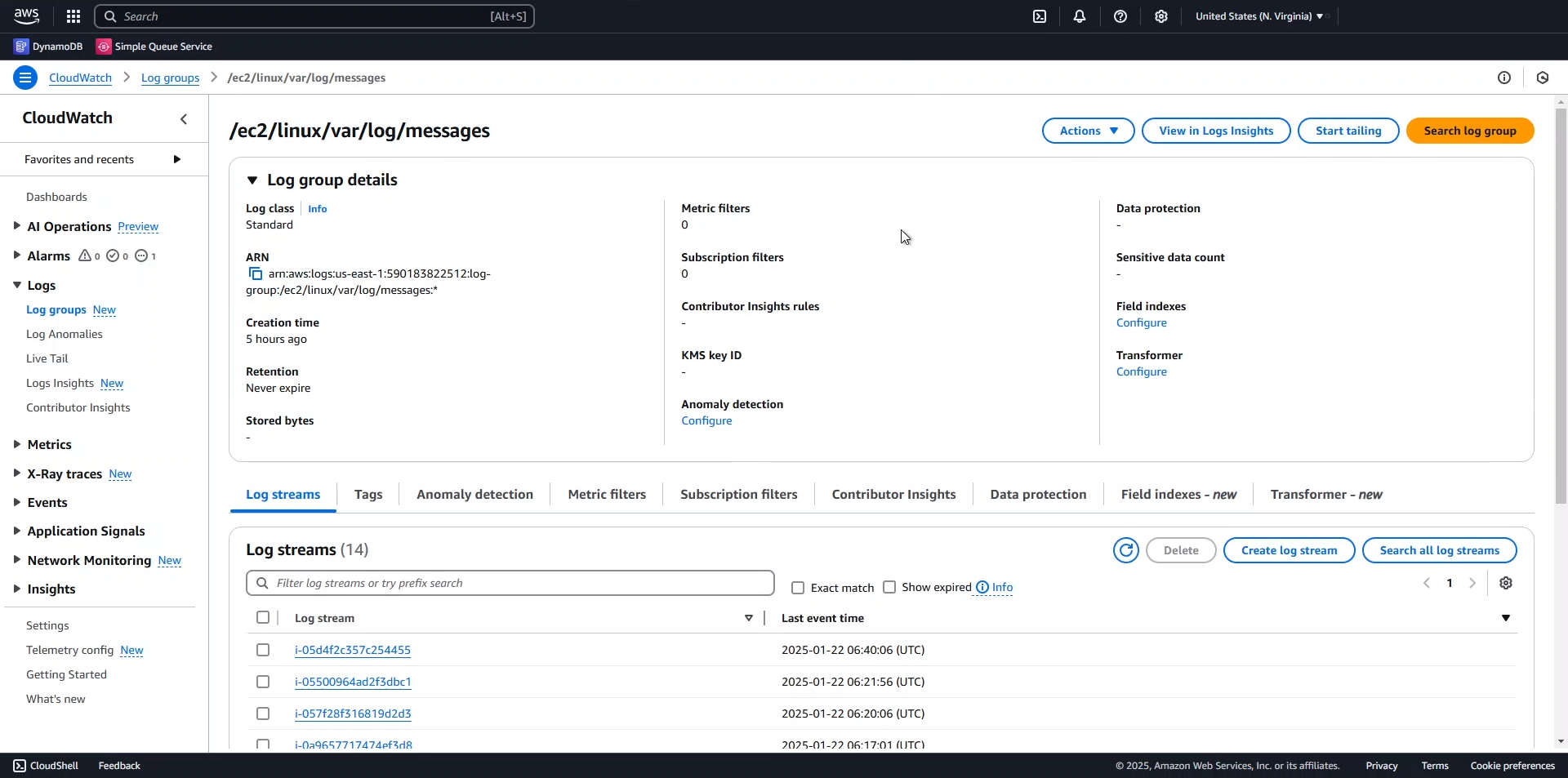
- Select any EC2 instance from the list to view its specific logs.
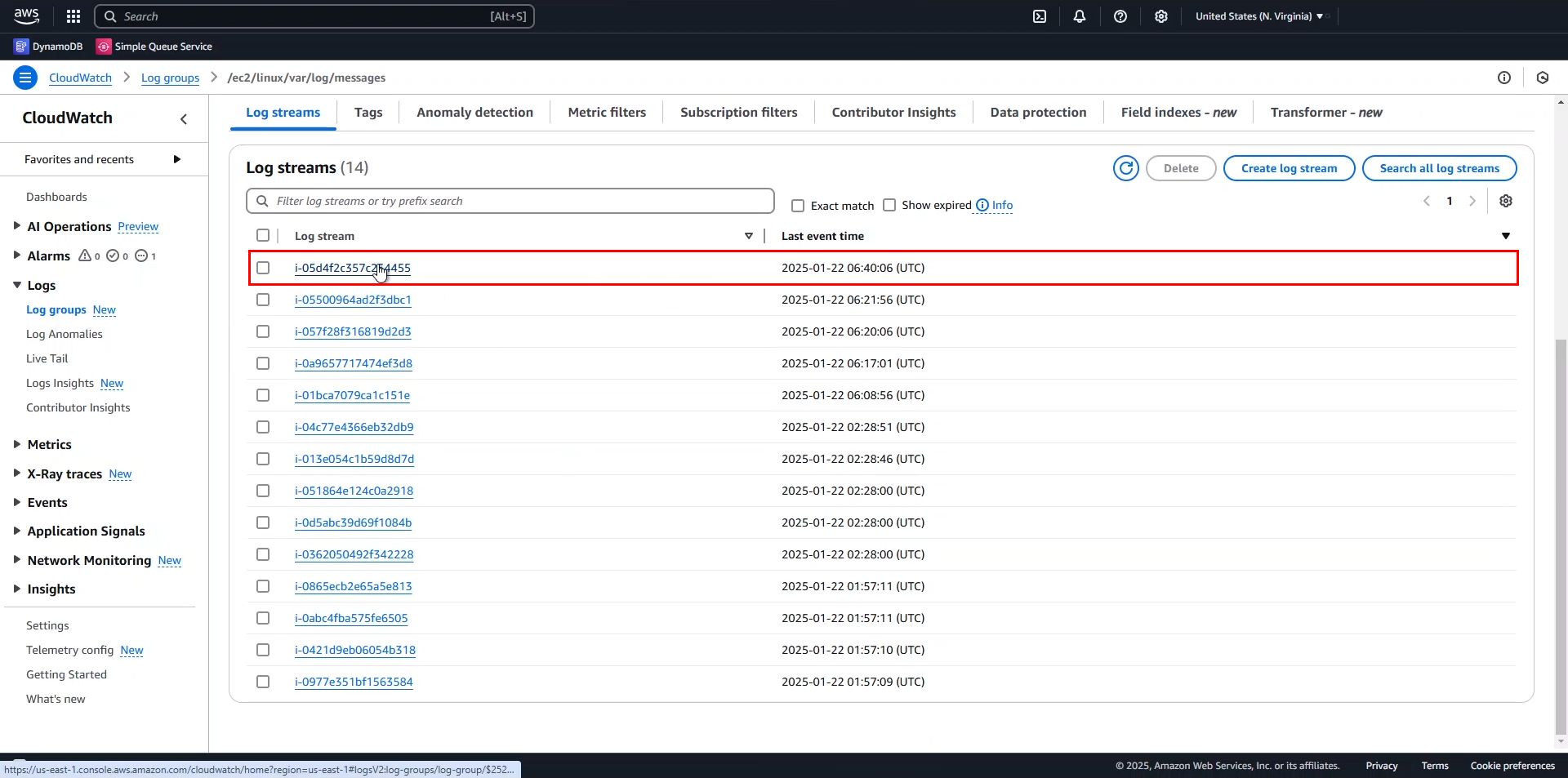
- Examine the log entries generated by various system components such as
dhclient,NET,ec2net,systemd, and other services.
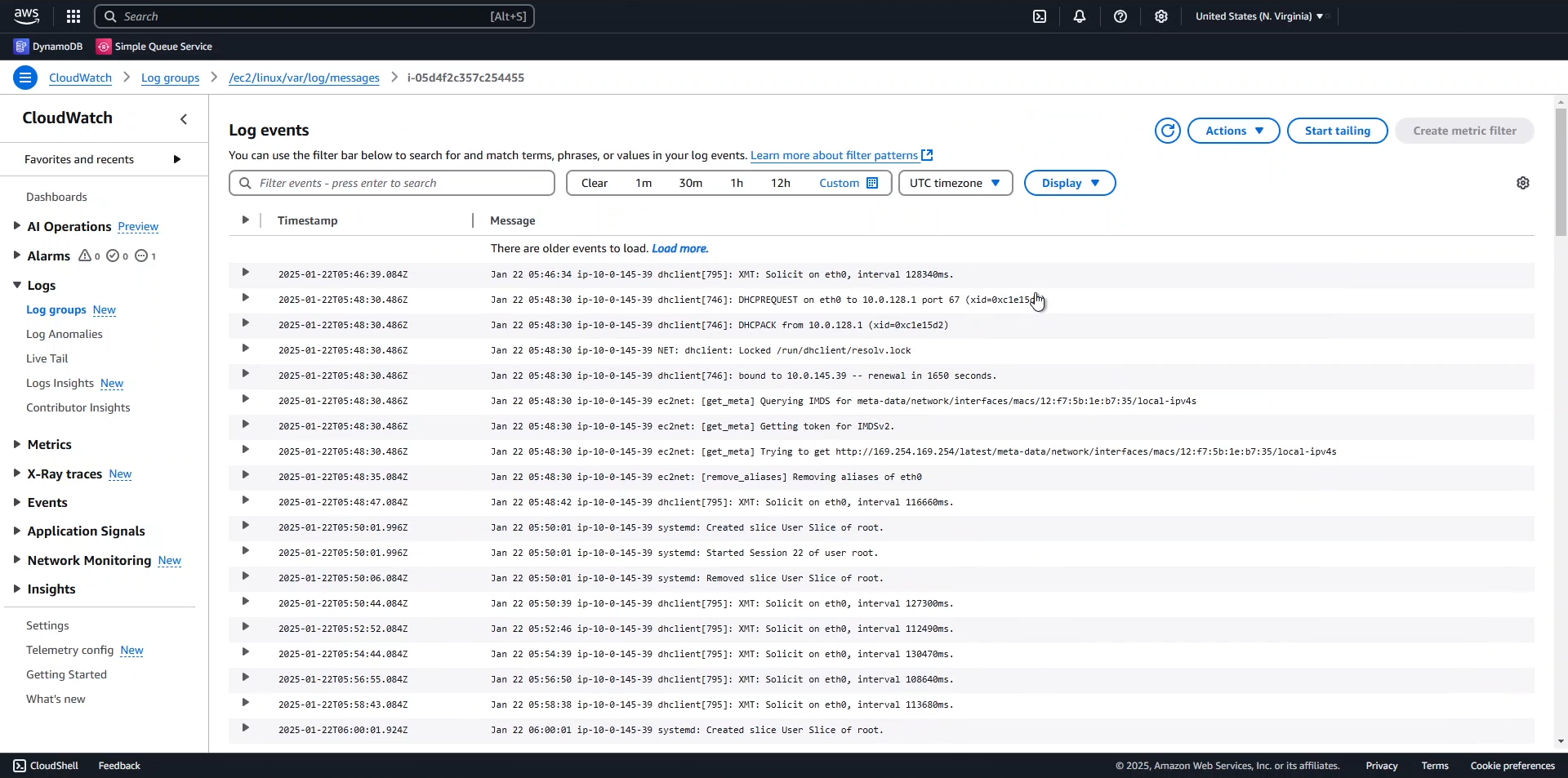
💡 Pro Tip: When troubleshooting EC2 instances, these system logs often contain valuable information about service failures, network configuration issues, and system resource constraints.
-
Return to the /ec2/linux/var/log/messages log group details page to configure log retention settings:
- Click Actions in the upper right.
- Select Edit retention setting.
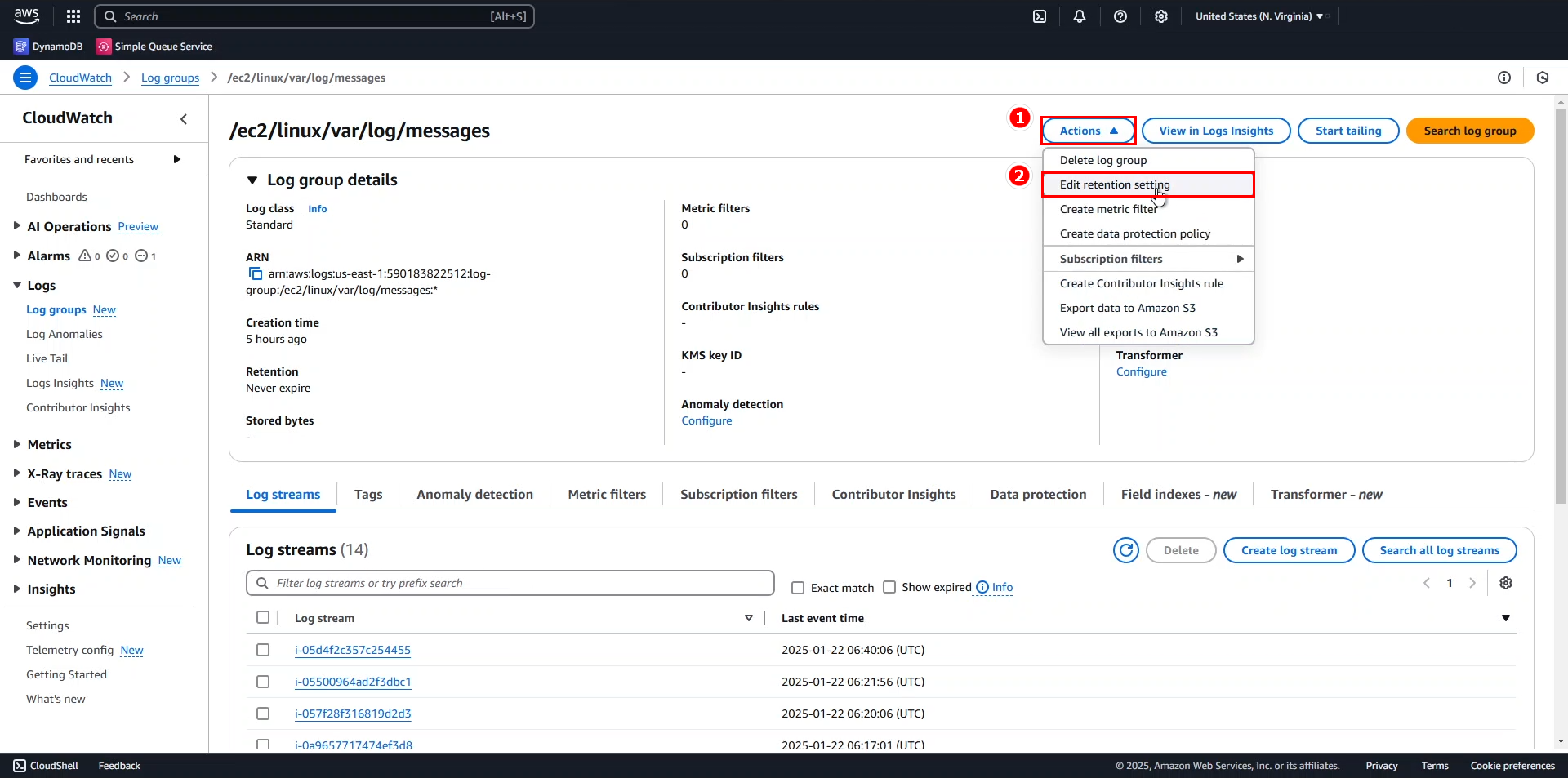
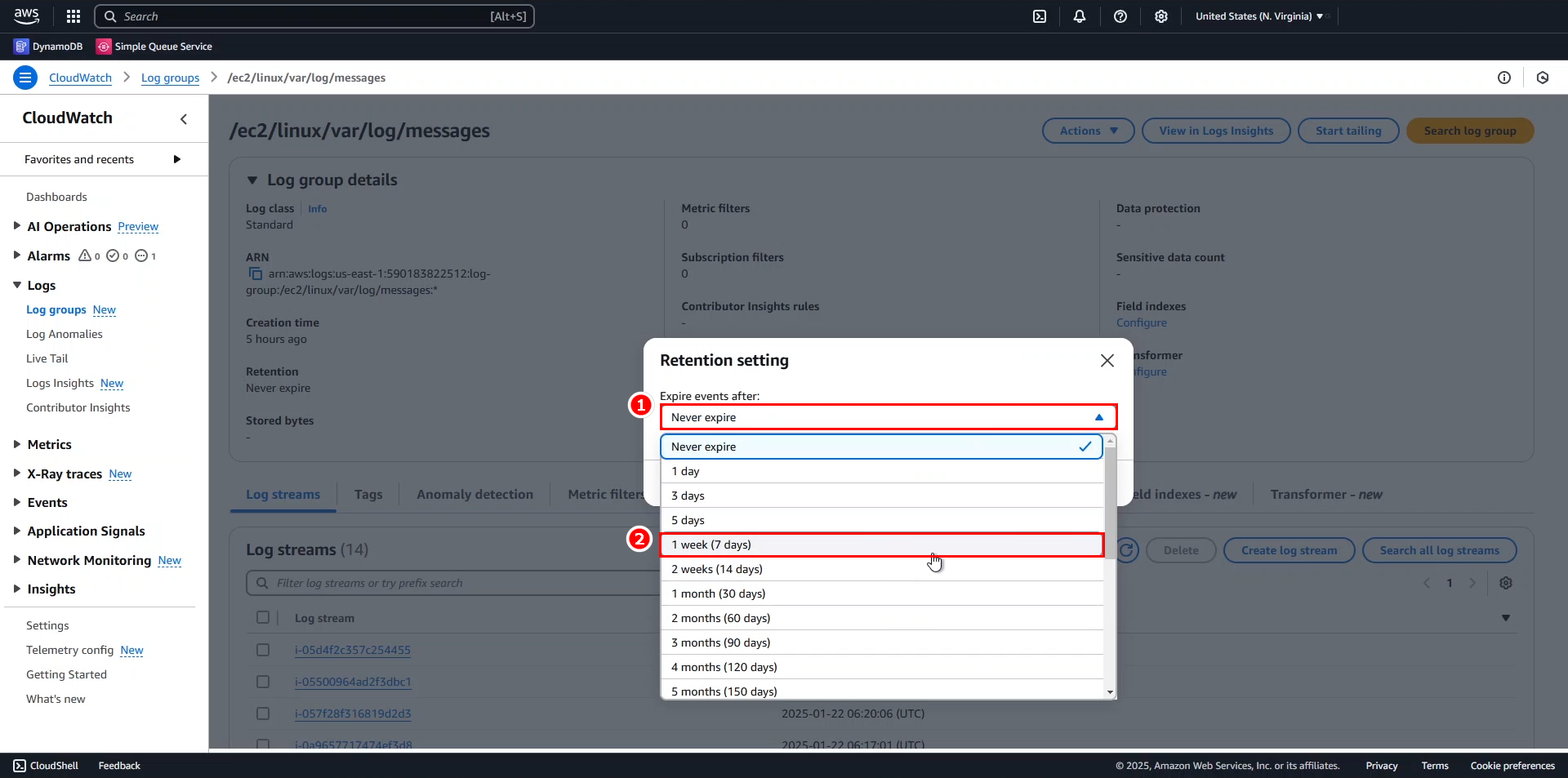
- In the Retention setting dialog:
- Set Expire events after to 1 week (7 days).
- Click Save.
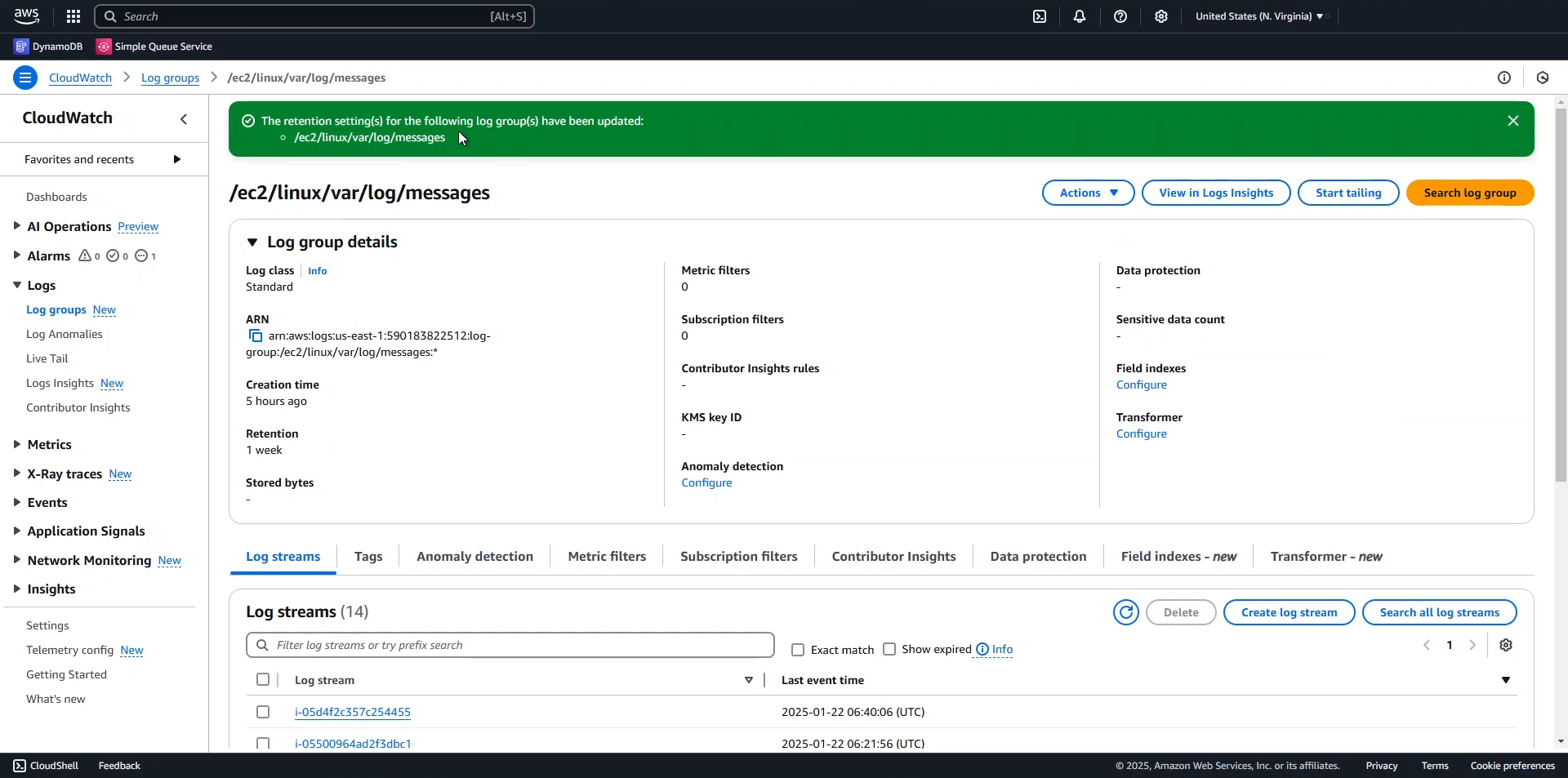
🔒 Security Note: Setting appropriate log retention periods helps balance operational visibility with cost optimization. For compliance-sensitive workloads, consider longer retention periods and exporting logs to Amazon S3 for long-term archival.
These fundamental operations provide insight into how CloudWatch Logs captures and organizes log data from your EC2 instances, helping you understand the operational patterns and troubleshoot issues across your AWS environment.